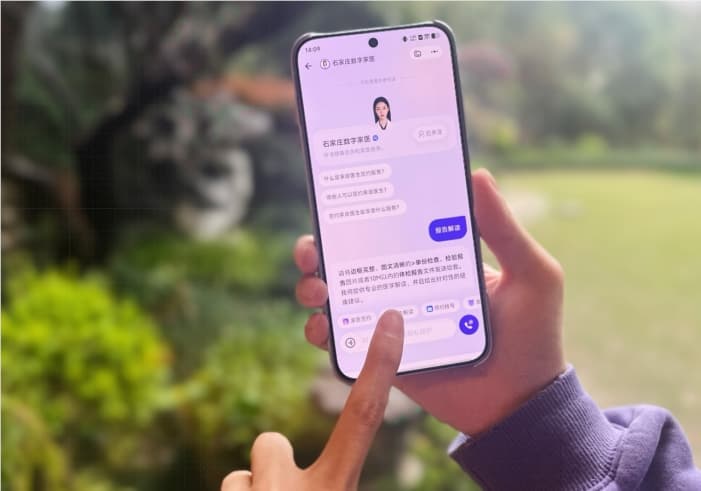

On September 1st, Marvis, the AI assistant at the operating system level under Tencent, officially launched the "Custom Model" feature. Users can now freely integrate third-party models that adopt industry-standard interface protocols into Marvis, including mainstream models provided and supported by manufacturers such as Tencent Cloud, Alibaba Cloud, DeepSeek, Minimax, Kimi, Zhipu, Xiaomi, and others. It also supports integrating open-source models deployed locally and allows synchronization across different devices.

Open "Brain Replacement" Capability, Freeing Model Selection
In the past year, the large model competition has entered a fast-paced rhythm where "a new king emerges every month." It is difficult for a single model to remain optimal in all scenarios. Some models excel in long-text writing, some perform well in code generation, and others stand out in response speed and cost-effectiveness. The demand for "multi-model free switching" among users has become increasingly strong.
The most obvious change brought by this update is the freedom of model selection. Previously, Marvis users could only use the built-in models of the platform. After the new feature is launched, users can choose the pre-configured combination mode of HuanYuan Hy4preview and DeepSeek-V4Pro, or connect to other large models that adopt industry-standard interface protocols.
From the product interface perspective, users can access the "Custom Model" configuration entry by entering "Settings - Model Management." The system already includes quick configuration options for models from multiple manufacturers such as Tencent Cloud and DeepSeek. It also retains the "Custom Model" entry for users to add their own required models. After configuration, users can switch between different models during conversations and select the most suitable model for the current task.

Notably, Marvis provides each user with a free usage quota of 10 million tokens per day, which is sufficient to cover most daily scenarios. However, in high-frequency and heavy-use scenarios such as code generation and long-document processing, the quota may be insufficient. By accessing third-party services through custom models, the usage will be counted against the user's own account, no longer consuming Marvis's daily quota, offering a way for heavy users to bypass the free quota restrictions.
Local Model Access: Lowering the Bar for Private Deployment
In addition to cloud-based models, this update also opened up compatibility with local models. For users who value data privacy or want to reduce call costs, they can simply run open-source models on their own computers via third-party applications and complete a simple configuration in Marvis to use the local model as if it were in "local mode."
The practical value of this capability lies in lowering the barrier. Previously, the "local mode" provided by Marvis required devices with strong local computing power to run smoothly, with clear hardware requirements. Through the method of accessing local models via custom models, users can call local models in "efficiency mode," thus reducing the high-performance constraints of "local mode" on device performance.
From the perspective of data security, the access of local models also means that users' conversation content and data do not need to pass through any cloud server, making it suitable for scenarios with high requirements for data privacy.
Multi-Device Model Asset Synchronization: Configure Once, Use Across All Devices
The third key feature is cross-device synchronization. Custom model configurations added by users are considered personal account assets and are bound to the account rather than a single device. This means that, regardless of whether you log in to Marvis on a Windows computer, Mac, or mobile device under the same account, the previously configured model list will automatically synchronize without the need for repeated additions.
Marvis is currently compatible with Mac/Windows/iOS/Android/iPad. For office workers who frequently switch between multiple devices, today’s model configuration on the office computer can be used on the mobile device while traveling the next day, ensuring that the AI workflow is not interrupted by device boundaries.
Decoupling AI assistants from underlying models is becoming a common choice in the industry—users don't have to replace the entire application just to try a new model, nor do they have to switch between multiple assistants. Currently, the custom model feature has been launched in the latest version of Marvis, and users can experience it in "Settings - Model Management" after updating.